Shipping classes utilize a product classification system to group products of similar type (e.g. bulky products or small items). Shipping classes work with shipping methods, such as Flat Rate Shipping, to provide different rates to different classes or types of products.
For example, with shipping classes and Flat Rate Shipping, it’s possible to create different flat rate costs for different product types, like bulky items and small items.
Add Shipping Classes
↑ Back to top- Go to: WooCommerce > Settings > Shipping > Classes.
2. Click the Add shipping class button.
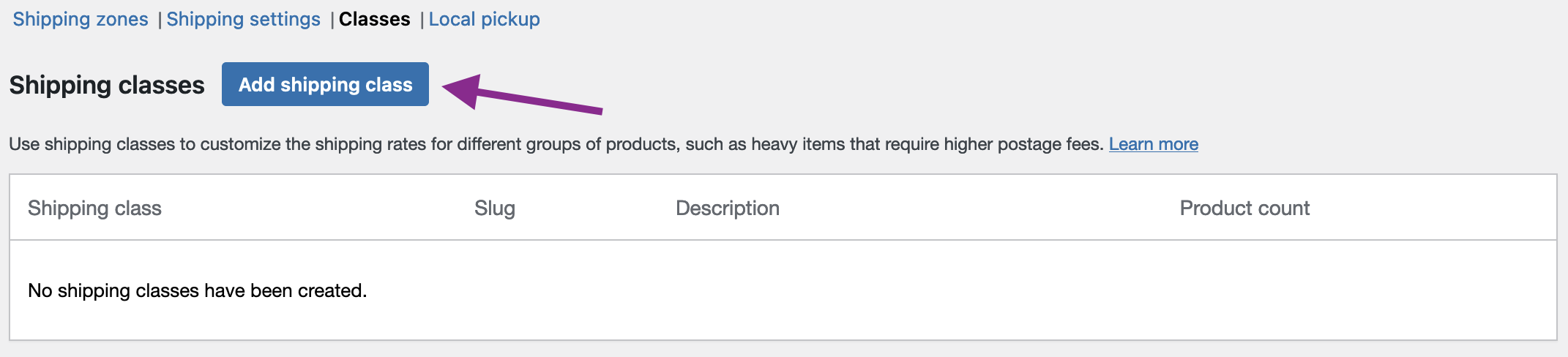
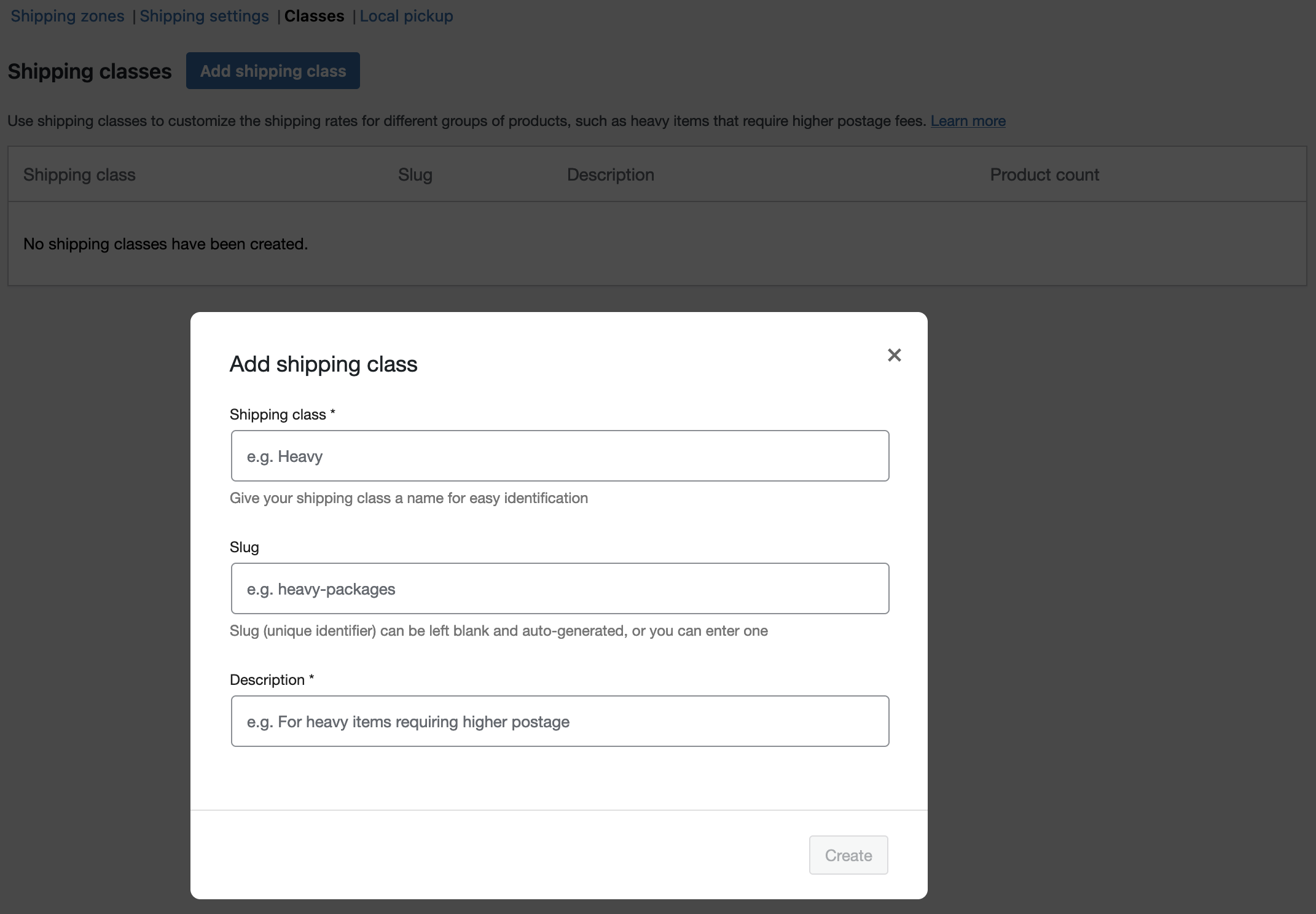
3. Fill in the form that appears on your screen. It includes these three fields:
- Shipping Class — This is the name of the shipping class (e.g., Heavy)
- Slug — This is the unique identifier. Leave it blank for automatic generation or input your own (e.g., heavy-packages).
- Description — Provide a brief description to clarify the purpose of this shipping class (e.g., for heavy items that require higher postage).
4. Click Create to finish.
Edit and Delete Shipping Classes
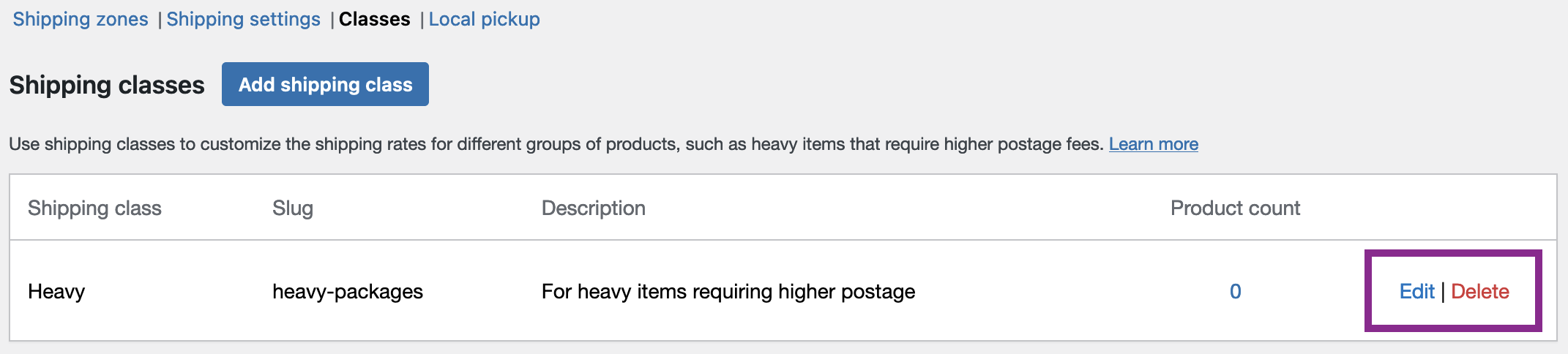
↑ Back to topEdit and delete shipping classes from the same page where you added them, using the edit and delete options located on the right side of the shipping classes. Follow these instructions to either edit or delete a Shipping Class:
- Go to: WooCommerce > Settings > Shipping > Classes.
- Find the Edit and Delete buttons on the right side of the shipping classes. You can either:
- Click the Delete button to eliminate the shipping class.
- Click the Edit button to open the Add shipping class form and revise the name, slug, or descriptions.
- Click the Save button to finish.
Assign Shipping Classes to Products
↑ Back to topAssign shipping classes to individual products you want in a specific class (e.g., bulky or heavy items) to apply shipping rates to that class. Each product can only have one shipping class assigned to it. Follow the instructions below to assign shipping classes to individual products:
- Go to: WooCommerce > Products.
- Find the product you want to add a shipping class to and click Edit.
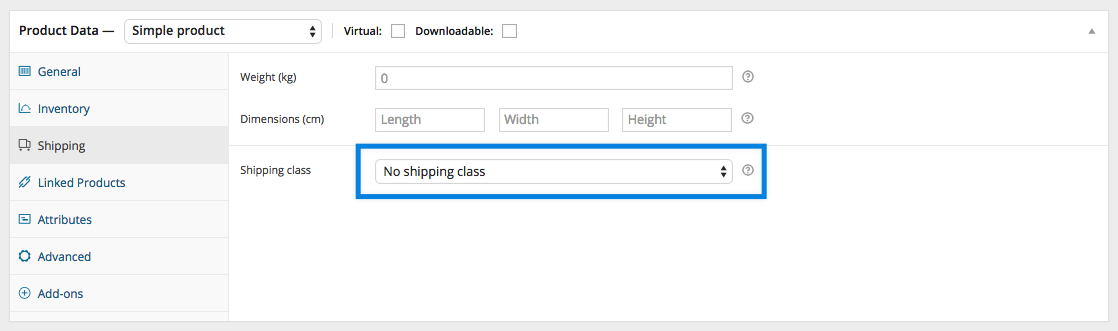
- Simple Products: Go to the Shipping tab, and select the class you want to assign from the Shipping Class drop-down menu.
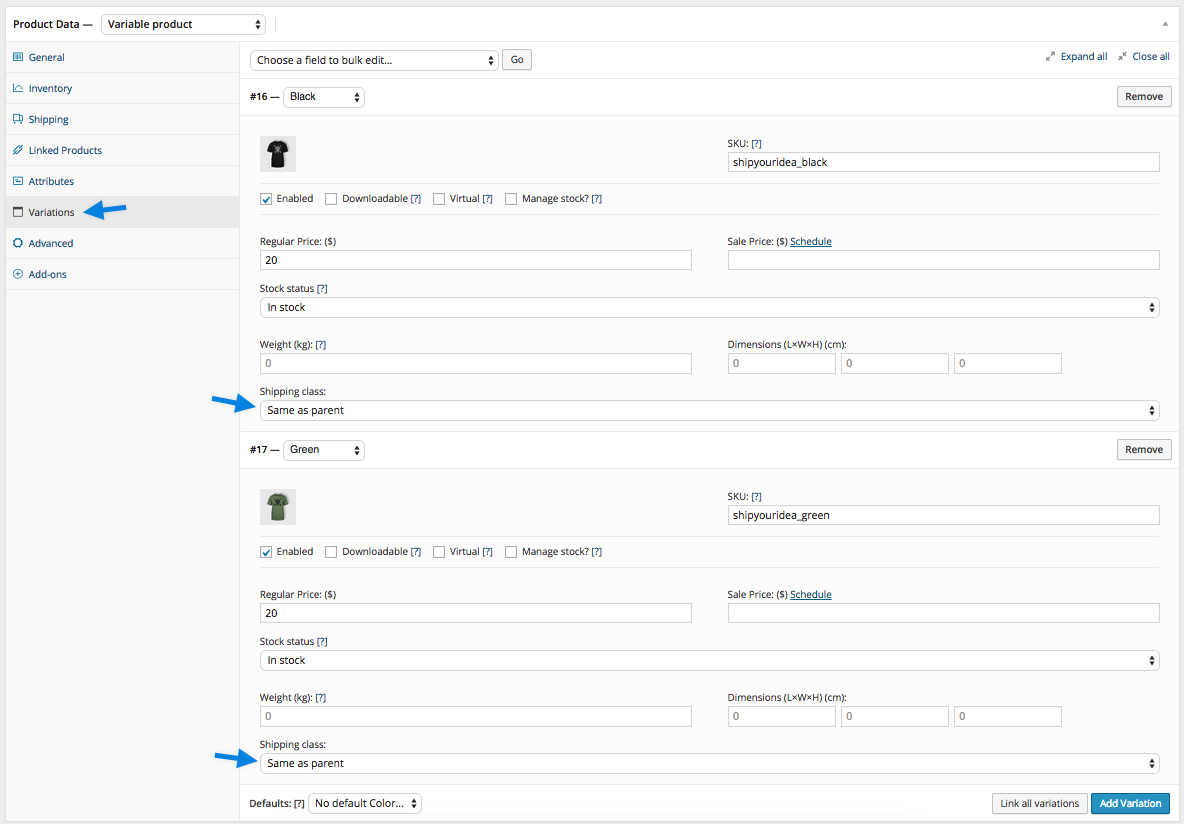
- Variable Products: You can set a Parent Shipping Class the same way as you would for Simple Products. You can also set shipping classes for individual variations by clicking on the Variation tab, opening the variation, and then selecting the class you want to assign to that variation from the Shipping Class dropdown menu.
- Update the product to save changes.
Bulk-Edit Shipping Classes
↑ Back to topIf you need to add, update, or change shipping class for multiple products at once, use the bulk editing option in the bulk actions dropdown in the Products menu. Follow these steps to update the shipping class for more than one product at once:
- Go to: WooCommerce > Products.
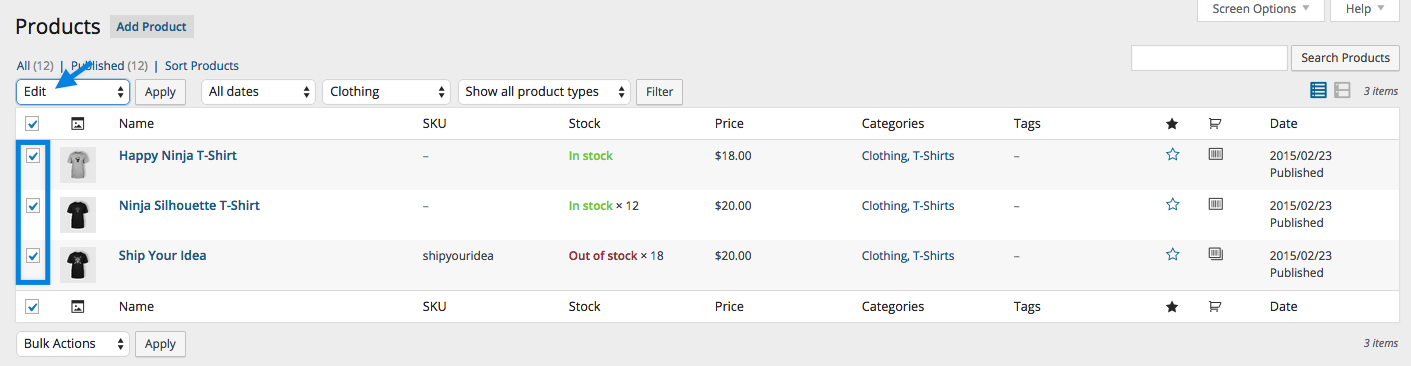
- Select the products you want to edit by ticking boxes on the left-hand side.
- Select Edit from the Bulk Actions dropdown, then Apply. A new screen appears.
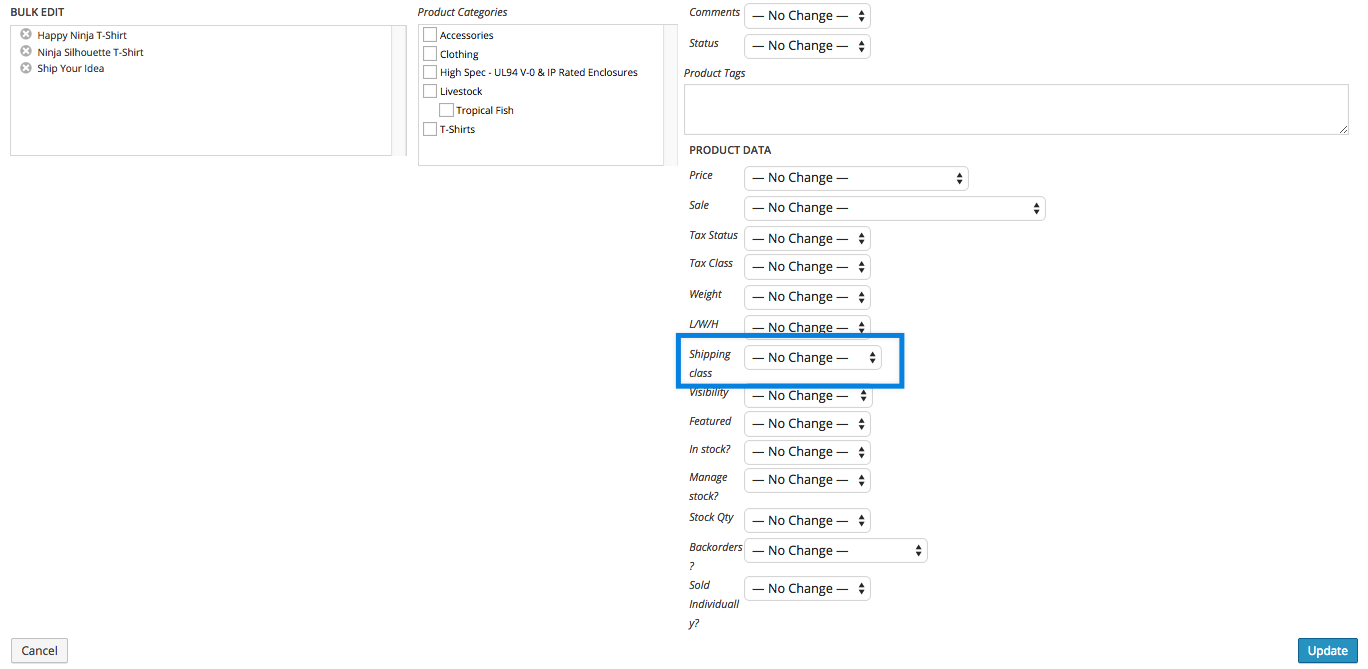
- Select a shipping class from the dropdown.
- Click Update to save changes.
Questions and Support
↑ Back to topDo you still have questions and need assistance?
This documentation is about the free, core WooCommerce plugin for which support is provided in our community forums on WordPress.org. Searching there you’ll often find that your question has been asked and answered before.
If you haven’t created a WordPress.org account to use the forums, here’s how.
- If you’re looking to extend the core functionality shown here, we recommend reviewing available extensions in the Woo Marketplace.
- Need ongoing advanced support, or a customization built for WooCommerce? Hire a WooExpert agency.
- Are you a developer building your own WooCommerce integration or extension? Check our Developer Resources.
If you weren’t able to find the information you need, please use the feedback thumbs below to let us know! 🙏